Simple Ways to Make Everyday Errands Less Time-Consuming
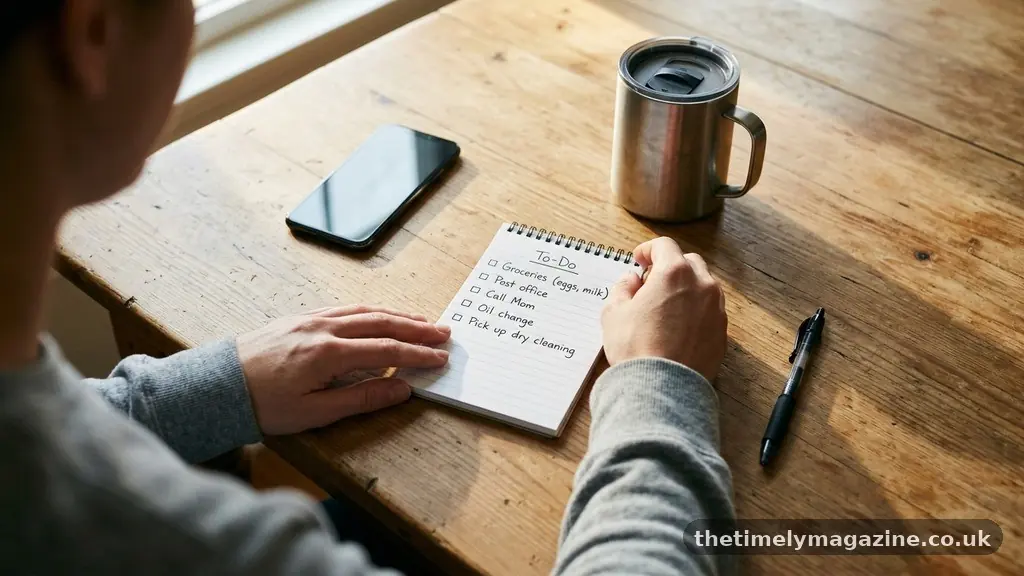
Simple ways to make everyday errands less time-consuming start with one shift: decide what needs doing before you leave home. A short plan can prevent extra driving, forgotten items, long waits, and the familiar “one more stop” that turns a quick outing into half a day.
Small changes such as errand batching, route optimization, online grocery shopping, curbside pickup, and digital reminders can return useful minutes to your week without making life feel over-scheduled. The best approach is practical rather than perfect: group the tasks that belong together, remove unnecessary trips, and leave room for the things you can’t predict.
Start With a Short, Prioritized Plan
The fastest way to improve an errand day is to decide what matters before opening the car door. Write down every task, then mark each one as urgent, location-specific, or flexible; this separates a pharmacy pickup needed today from a hardware-store visit that can wait until Friday.
Keep the list visible in one place. A paper shopping list works well, but a notes app or shared family list is more useful when several people add items throughout the week.
Task prioritization doesn’t require a complicated productivity system. Use three simple labels: “must do,” “should do,” and “nice to do.” If time runs short, the optional jobs can move to another day without making the whole plan feel like a failure.
Before leaving, check opening hours, stock availability, appointment windows, and return deadlines. A two-minute phone call or website check can prevent a wasted trip to a store that closes early or doesn’t carry the item you need.
Try assigning a clear purpose to each outing. “Buy groceries and collect the prescription” is more useful than “run errands,” because a specific objective makes it easier to notice which extra stops are genuinely nearby and which ones can wait.
- Must do: prescriptions, time-sensitive collections, or items needed for tonight.
- Should do: routine groceries, household supplies, and planned returns.
- Nice to do: browsing, non-urgent exchanges, or errands with flexible timing.
Digital reminders can handle recurring tasks such as renewing a prescription, checking the car’s fuel level, or returning library books. Set the reminder for the point when action is possible, not merely for the final deadline.
For example, a reminder two days before a return date gives you a chance to add the package to an existing trip. A reminder on the deadline may leave you with no choice but to make a separate journey.
Build Errand Batching Into Your Week
Errand batching means combining several small tasks into one outing instead of treating every job as an independent trip. A grocery shop, bank deposit, parcel drop-off, and prescription collection may all fit into one carefully planned circuit if their locations and opening times line up.
Start by grouping errands according to area rather than task type. A list called “north side,” “town centre,” and “near work” is often more useful than separate lists for groceries, returns, and post-office visits.
Keep one or two flexible errands available in each area. If the main purpose of a trip is collecting a parcel, add a nearby return or household purchase only if it doesn’t create a long detour.
Time blocking can make this system easier to maintain. Give routine errands a regular window, such as Saturday morning for groceries or Wednesday after work for collections, then add urgent tasks around those anchors.
Don’t fill every minute. A route that looks efficient on paper can collapse when a checkout line is long, a parking space is hard to find, or a child needs attention.
A useful weekly routine might look like this:
- Monday: review supplies, meal planning, and online orders.
- Tuesday: handle only urgent prescriptions or collections.
- Wednesday: combine work-area errands with a return or small purchase.
- Friday: check weekend needs and prepare the shopping list.
- Saturday: complete the main grocery run and nearby household tasks.
Households can also assign errands according to where people already travel. Someone passing a supermarket after work may handle a small pickup, while the person staying home avoids a separate drive later.
The aim isn’t to postpone every task until one enormous errand day. Overloaded trips are tiring and more likely to produce forgotten items, so batching works best when the combined list remains manageable.
Plan the Route Before You Set Off
Route optimization saves time by reducing backtracking, unnecessary turns, and duplicate visits to the same area. Put the farthest stop first when it has a strict closing time, or begin with the location that usually develops the longest queue.
Use Google Maps or another navigation app to compare travel times at the hour you expect to leave. A route that takes ten minutes at mid-morning may be much slower during school pickup or the evening commute.
Check the order of stops manually rather than accepting the first suggested route. Navigation software may prioritize driving distance, while your real priority could be a store’s closing time, easier parking, or keeping refrigerated groceries out of the car.
| Errand type | Best planning question | Useful time-saving choice |
|---|---|---|
| Prescription collection | Does the pharmacy have a pickup window? | Confirm it is ready before travelling |
| Grocery shopping | Will frozen or chilled items sit in the car? | Make groceries the final stop |
| Parcel return | Can the retailer print or scan the label? | Prepare packaging and code at home |
| Banking task | Can it be completed through the bank’s app? | Remove the trip if no in-person action is required |
Parking deserves attention too. A location with free parking directly outside may be faster than a slightly closer shop that requires a garage, elevator, and long walk.
If you’re travelling with groceries, plan for temperature and storage. Place the supermarket near the end of the route, carry an insulated bag for chilled products, and avoid adding a long café stop afterward.
Keep a “nearby if convenient” category in your list. When you are already in a particular area, you can check it quickly without forcing a detour on every trip.
Review the route after a few outings. You may discover that one shop is consistently slow at lunchtime, that a side entrance provides easier access, or that two locations are close enough to combine on foot.
For longer journeys, save common destinations in your navigation app. That removes repeated typing and reduces the chance of selecting the wrong branch of a chain.
Use Online Shopping Without Creating More Work
Online grocery shopping can eliminate a trip, but it works best when supported by a stable household system. Keep a running shopping list and add items as they run low instead of trying to reconstruct the entire kitchen from memory on ordering day.
Meal planning helps because it connects purchases to actual meals. You don’t need a seven-day menu with every ingredient measured; choosing three dinners, two easy lunches, and a breakfast plan can prevent several emergency visits to the store.
Organize the digital list by supermarket section, such as produce, dairy, cupboard goods, and cleaning supplies. This makes in-store shopping faster if an item is unavailable online or you decide to collect the order yourself.
Compare delivery windows, minimum order rules, substitution settings, and collection fees before placing an order. The cheapest basket may not be the cheapest overall choice if a small service fee creates another trip for missing essentials.
Grocery delivery is particularly useful for bulky items, limited mobility, illness, or weeks when travel is difficult. It may be less useful for a small basket needed immediately, especially if the next available slot is several days away.
Curbside pickup often offers a middle option. You place the order from home, avoid walking through the shop, and collect it at a scheduled time without paying for a full delivery service.
Services such as Instacart or a supermarket’s own mobile app may show different prices, substitutions, and pickup rules. Check the final total before paying, because convenience fees, delivery charges, and replacement items can change the expected cost.
Amazon can be practical for repeat household items, especially when you know the exact product and don’t need it immediately. Set a recurring reminder to review subscriptions so supplies don’t arrive faster than your household uses them.
Use substitutions carefully. For staple foods, an acceptable replacement may save a second trip; for allergy-sensitive products, medicines, or specific sizes, selecting “refund if unavailable” may be safer.
Online shopping should reduce decisions, not multiply them. Save a basic list of reliable products, but review quantities and prices each time rather than ordering automatically without checking what is already at home.
Make Checkout and Collection Faster
Preparation before entering a shop has a direct effect on the time spent inside. Put return receipts, reusable bags, collection codes, loyalty details, and any required identification together before leaving.
Contactless payment can shorten checkout for smaller purchases, though it doesn’t remove queues or solve an incorrect price. Keep a backup payment method available in case a terminal fails or a purchase exceeds a contactless limit.
Self-checkout is useful when the basket is small and the items scan easily. A staffed till may be faster for a large shop, age-restricted products, bulky goods, or anything likely to require a price correction.
For collections, read the retailer’s instructions carefully. Some services require a QR code, confirmation number, photo identification, or a specific collection bay, and missing one of those can turn a two-minute pickup into a customer-service wait.
Prepare returns at home rather than in the shop entrance. Pack the item securely, remove old labels, attach the correct return code, and photograph the parcel if the retailer requires proof of dispatch.
Keep receipts in a dedicated email folder or note. Searching through a crowded inbox at the counter wastes time and can make a simple return feel unnecessarily stressful.
Store frequently used loyalty cards in a mobile wallet where possible. If a retailer’s app is slow or requires a fresh login, take a screenshot of a valid barcode only when the retailer permits it and the code is not designed to refresh.
Small habits add up. Having bags in the car, a charged phone, and a pen for forms can prevent a second visit for things that have nothing to do with the errand itself.
Choose the Right Time and Place
The same errand can take very different amounts of time depending on when you do it. Grocery shops are often calmer outside peak commuter periods, while some service counters are busiest immediately after opening because people arrive before work.
Observe the pattern at your regular locations rather than relying on broad assumptions. A local supermarket may be quiet early on a weekday, but its pharmacy could open later and create a separate wait.
Call ahead for tasks involving specialist staff. Key cutting, photo printing, watch repairs, passport services, and appliance returns may require equipment or a trained employee who isn’t available at every hour.
Combine errands only when the locations are genuinely close. Walking between two nearby shops can be quicker than moving the car, finding a new space, and paying for another short parking period.
If you use public transport, check the timetable in both directions. Finishing an errand quickly doesn’t help if the return service is infrequent and leaves you waiting for half an hour.
For people working from home, use a short midday window for tasks with predictable completion times, such as collecting a parcel. Save uncertain errands, including returns and busy service counters, for a period when a delay won’t disrupt a meeting.
Parents can reduce friction by matching errands to the child’s routine. A pharmacy pickup near school may fit naturally after collection, while a crowded supermarket may be easier during a quieter period when another adult is available.
Older adults and anyone managing fatigue should consider the physical layout as part of the plan. A shop with accessible parking, seating, and shorter walking distances may save energy even if the drive is slightly longer.
Convenience isn’t just about minutes. A route that leaves you exhausted can make the next task harder, so choose options that protect your attention and energy as well as your clock.
Create a Home System That Prevents Extra Trips
Many errands begin with a missed household signal: the last roll of paper towels disappears, a prescription reaches its final dose, or a school form is noticed after the day’s only convenient trip has passed. Simple storage and reminder systems catch these issues earlier.
Use a “running low” box or shelf for items that need replacing. When someone opens the last packet, the empty wrapper or product note goes there rather than being thrown away without a reminder.
Set minimum stock levels for essentials. You might decide to reorder detergent when one unopened bottle remains, while fresh produce is purchased only during the weekly shop.
Keep a small emergency supply of genuinely necessary items, but avoid turning this into overbuying. Extra medicine, batteries, or pet food should be stored according to safety instructions and checked for expiry dates.
Place a whiteboard or shared digital list in a central location. A family member who adds “light bulbs” immediately is more helpful than someone mentioning it later while the car is already on the road.
Review the list before leaving home, not after arriving at the first store. This is where forgotten items are most likely to be caught and where you can still change the route.
Recurring reminders work well for tasks that don’t depend on visible supplies. Add alerts for vehicle inspections, prescription renewals, school fees, pet treatments, and seasonal household maintenance.
Use a weekly ten-minute reset to clear old tasks. Remove items that have been completed, move flexible jobs to a realistic day, and question anything that has stayed on the list for several weeks.
The goal is a lighter mental load. When the household has one reliable place for lists and reminders, fewer decisions have to be recreated during an already busy day.
Protect Your Time From Unplanned Detours
Not every extra stop is harmful, but unplanned detours can quietly consume the time saved by good planning. Before agreeing to add a task, ask whether it is nearby, time-sensitive, and easy to complete during the current outing.
Set a stopping point for the trip. If the list is finished and the remaining task requires a long wait, postpone it unless missing the deadline would create a larger problem.
Waiting time can be used deliberately. Download an audiobook, carry a short reading task, or use the period to review your shopping list, but don’t assume every queue will be productive or reach for your phone automatically.
Keep a small “next trip” note rather than relying on memory. If you see an item that can wait, record it immediately and return to the planned task.
Be cautious with browsing in large stores. A quick search for one household item can become a long comparison session, especially when several versions appear similar.
For purchases that require research, separate research time from errand time. Check specifications and prices at home, then visit the shop with a clear decision or a short list of questions.
Leave buffer time around appointments and collections. A plan with no margin encourages rushing, parking violations, or poor choices when a minor delay occurs.
Most importantly, don’t measure success by completing every possible task in one day. A shorter trip that finishes the essential work and leaves you with energy is often more efficient than an ambitious route that has to be repeated.
Frequently Asked Questions
What is the fastest way to reduce the number of errands?
Start by removing trips that can be completed online, then batch the remaining tasks by location. Online banking, digital prescriptions where available, online grocery shopping, curbside pickup, and grocery delivery can all reduce travel, but check fees, availability, and suitability before choosing them.
How far in advance should I plan an errand route?
For ordinary shopping, planning the night before is usually enough. Time-sensitive collections, medical appointments, or trips affected by traffic deserve an earlier check so you can confirm opening hours, stock, parking, and the best departure time.
Is errand batching always more efficient?
No. Batching helps when stops are close together and fit within compatible opening hours, but it can waste time when one location creates a major detour or a long wait. Keep the trip to a sensible number of tasks and leave flexible errands for another day.
Which digital tools are most useful for errands?
A shared shopping list, calendar reminders, a navigation app, and retailer mobile apps cover most needs. Use Google Maps for route and traffic checks, digital reminders for deadlines, and store apps for stock information, collection slots, loyalty cards, and order updates.
How can I make grocery shopping faster without buying the wrong things?
Use meal planning to define a few meals, keep a running shopping list, and organize items by store section. Check the kitchen before ordering, set substitution preferences, and place refrigerated groceries near the end of your route or choose pickup when that is more convenient.
Make Errands Fit Your Life
The most effective simple Ways to Make Everyday Errands Less Time-Consuming are usually ordinary habits: one reliable list, grouped trips, a sensible route, and fewer unnecessary journeys. Start with one change this week, such as batching pharmacy and grocery stops or setting a reminder before a return deadline.
Then notice what actually saves time in your household and keep that. With a little planning, everyday errands become shorter, calmer, and easier to fit around work, family, rest, and the parts of the day you want to enjoy.